
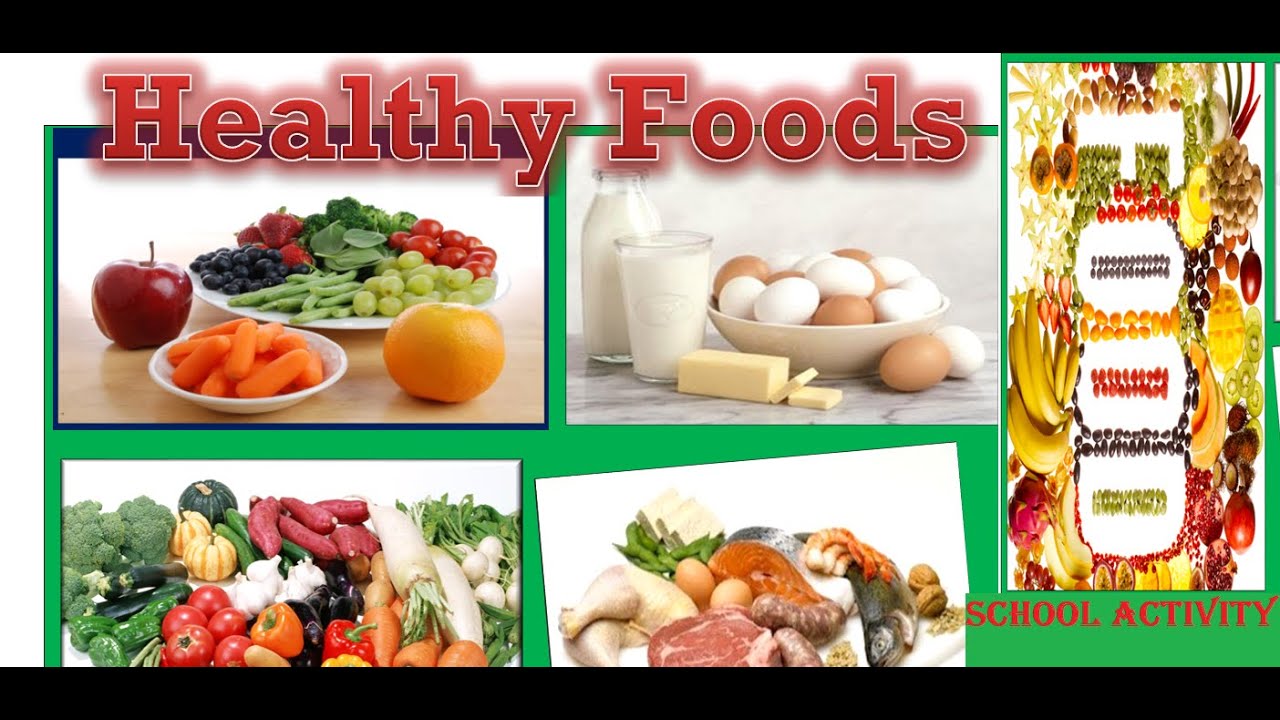
Create activity on healthy foods in MS Word with easy steps:
1. Open the Microsoft Word.
2. Open a new blank document. Automatically new blank page should when open MS Word.
3. Go to INSERT Menu then click on “CLIP ART”. After clicking on Clip Art the dialogue box will open on right hand side.
4. Enter text like Healthy foods OR milk, fish, egg OR whatever you want to search in “search for” text box.
5. Click on the Checkbox “Include Office.com content” for searching and listing the images from this website.
6. Click on “Go” button.
7. You will see the list of images in below box.
8. Drag those images which you like and drop on MS word blank page.
9. Make them alignment as you like.
10. Use appropriate tools for formatting these images.
11. For writing heading text: Go to Insert Menu then Click on “WordArt” and select the type which you want.
12. Write your heading text in “Your text here” box.
13. Here are tools which I have used for formatting:
Used Tools:
I. INSERT then go to CLIP ART
II. FORMAT PICTURE then go to 3D FORMAT
III. FORMAT PICTURE then go to 3D ROTATION
IV. PARAGRAPH then go to INDENTS AND SPACING then go to ALIGNMENT then go to CENTER
V. BORDER then go to OUTSIDE BORDER
VI. HOME then go to FILL WITH COLOR ie. SHADING
VII. WORDART then go to RED , ACCENT 2, MATTE BEVEL
14. For attractive view, we can add some slogans on it.
Slogans:
I. YOUR DIET IS A BANK ACCOUNT. GOOD FOOD CHOICES ARE GOOD INVESTMENTS.
II. EAT BREAKFAST LIKE A KING, LUNCH LIKE A PRINCE, AND DINNER LIKE A PAUPER.
III. THE GREATEST WEALTH IS HEALTH.
IV. AN APPLE A DAY KEEPS THE DOCTOR AWAY.
V. WHAT YOU EAT IN PRIVATE YOU WEAR IN PUBLIC.
15. Save this activity in your computer.