
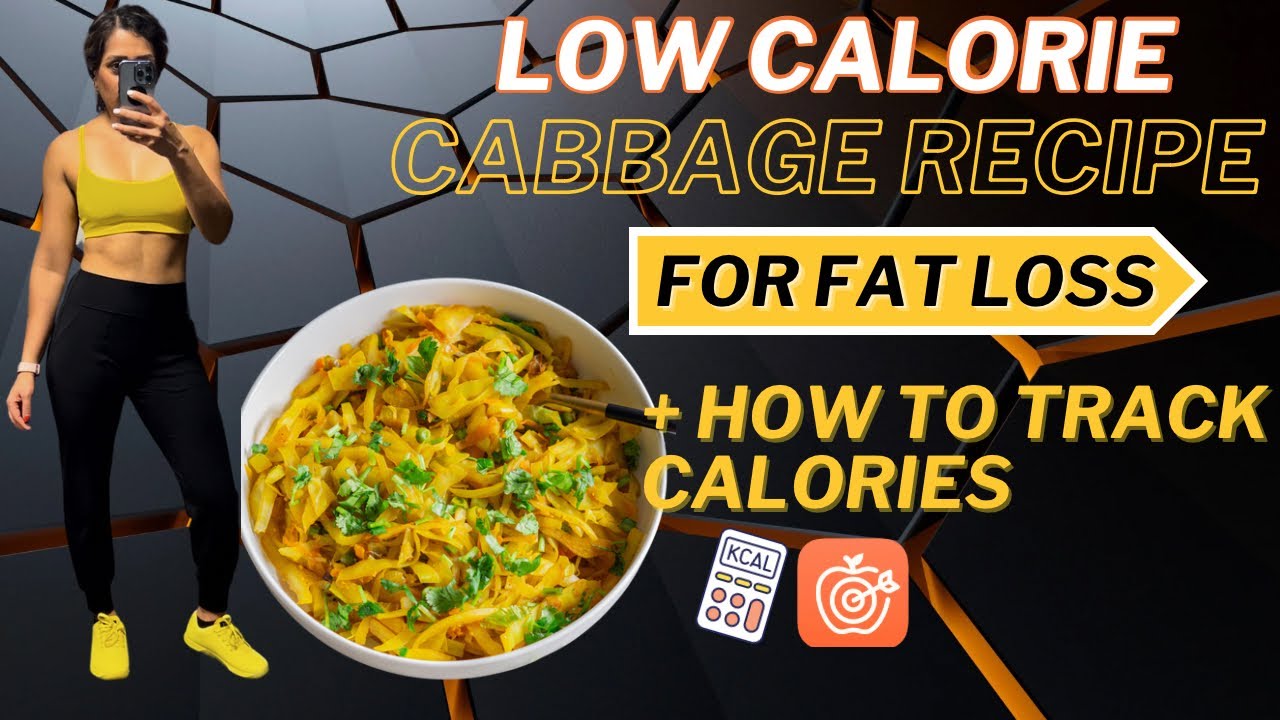
Did you know you can eat tons of cabbage for such little calories? Its awesome to add cabbage to your meals when your goal is to lose body fat. It decreases overall calories of your meal and it helps you stay full. In this video I show you, this easy healthy sauteed cabbage recipe is and how you can to add to your meals during fat Loss phase. Then I will show you how easy it is to custom create a recipe in cronometer app and track your calories. Please make sure to give this video a thumbs up and comment below if you found this video helpful.
0:00 Intro
3:08 Healthy Low Calorie Cabbage Recipe
6:47 Quick overview of cronometer app & setup
9:15 Custom create recipe
11:46 Error I made while logging my cabbage recipe
12:41 More tips on how to log items accurately
13:12 Various brands are already in app’s database
14:35 How tracking is helpful
15:25 What to consider when tracking
16:18 Ending & Thank you
How to Calculate How many calories to eat to lose fat:
Find how I make my tofu mayo sauce in this video:
Cabbage Recipe here:
_____________________________________________________
FOLLOW ME:
♥ INSTAGRAM: https://www.instagram.com/mrsslimonplants/
♥ FACEBOOK: https://www.facebook.com/mrsslimonplants
♥WEBSITE: https://mrsslimonplants.com/
♥TIKTOK: https://www.tiktok.com/@mrsslimonplants
______________________________________________________
*LINKS + DISCOUNT CODES*
▻Free 1 day plant based weight loss meal plan:
▻Beginner’s 4 weeks At home Workout Program:
▻30 High Protein vegan meals in 30 minutes or less ebook:
▻7 days plant based weight loss meal plan:
▻Custom meal plans
https://mrsslimonplants.com/product/custom-meal-plan/:
▻1:1 Coaching:
▻My Favorite Protein powders:
(Get 10%OFF Vedge nutrition: SLIMONPLANTS)
https://bit.ly/3Cec3nb
▻Nuzest Protein powder (Get 15% off, Discount Code: SlimOnPlants)
https://nuzest-usa.com/discount/MRSSLIMONPLANTS?rfsn=6414081.f18a0c
▻SproutLiving Protein powder (Get 20% off, Discount Code: SLIMONPLANTS)
https://go.sproutliving.com/mrsslimonplants
▻Organifi Protein powder (Get 20% off, Discount Code: SLIMONPLANTS)
https://www.organifishop.com/discount/SLIMONPANTS
▻Fittrack Smart Scale (Get 20% off, Discount code: SAINI20)
FitTrack Dara 2.0
▻My Favorites Items From AMAZON (Affiliate Link):
https://www.amazon.com/shop/influencer-89e6b5f9
Here are more recipe videos on what I eat in a day (Easy High protein meals):
#easyveganmeals #wholefoodplantbased #vegan #highproteinvegan #veganfitness #fitover40 #weightlosstips #veganweightloss #fatlosstips #caloriedeficit #caloriecounting
Hey everyone welcome back to another video in today’s video I’m going to show you how you can custom create a recipe in chronometer and then how you can use that recipe to log your calories to keep track of your macronutrients if you are trying to lose weight and you are trying
To track your calories I strongly believe you’re going to benefit from this video if you are watching this video for the first time I’d like to welcome you to my channel Channel my name is Nisha I am a fitness trainer I’m a mom of two and I’m in my 40s health
And fitness is my passion and that is the reason why I created this channel to show you how you can get healthy and fit as a vegan in your 40s and Beyond if you are new to my channel and you are looking to lose some weight as a vegan I
Highly recommend you go watch this video in this video I go over all the details as to how to change change your diet and nutrition if you are trying to lose fat while retaining muscle mass I am certain that you are going to benefit from that
Video so make sure you go ahead and watch that video first in today’s video I’m also going to share my easy healthy um cabbage recipe that many of you requested from my last video this uh recipe is super simple and easy I’m actually quite embarrassed to share this
But you guys wanted this recipe so I’m going to show you how easy it is to make this cabbage is one of my favorite veggies to include during fat loss phase and the reason for that is it’s because it’s super low in calories and it’s quite filling so I really love to add
Cabbage to my meals when I’m trying to lose fat so that I don’t feel like I’m starving but I have extra volume of food and once we are done cooking cabbage I am going to sit down and show you how to custom create that recipe in chronometer
App so before we get into all that I just wanted to welcome everyone who recently subscribed to my channel thank you so much for subscribing I appreciate every one of you and thank you so much for being here I hope to continue to provide you guys with valuable content
On my channel as always I appreciate your feedback so please always drop your comments in the comment section below to let me know what other type of video you would like to see from me if you find Value in today’s video then don’t forget to give this video a thumbs up and make
Sure if you’re not subscribed then hit that subscribe button and that Bell notification so that every time I upload a video each week you will be notified all right let’s get started and cook this cabbage All right to speed things up we are going to start with sautéing our onion a good non-stick frying pan is a must if you are on your fat loss journey and you want to keep your calories low with non-stick frying pan you don’t need to
Add ton of oil to your meals and you still get pretty decent meal without all those extra added calories I lightly sprayed My Pan with three to four sprays of avocado oil and then I’m going to Brown my onions slowly and while onions are Browning we
Are going to chop up our cabbage and keep that aside just to add some color and variety to this cabbage I’m going to add about half a cup of frozen green peas and one mediumsized shredded carrots so I’m going to shred my carrot and keep that aside and I tend to use
About half a cabbage and I store the rest in the fridge to use later because it ends up being quite a bit so please go ahead and do this according to your needs but if you’re going to use a full big cabbage you will have to adjust your
Spices accordingly and I’m measuring out my cabbage just so that I can log this into my chronometer app just to show you guys make sure while you’re chopping your cabbage you are stirring your onion um every now and then just to allow them to Brown evenly and once onions have
Browned I added about 1 teaspoon of GRA grated Ginger 1 teaspoon of grated minced garlic from Kirkland and then one green thigh chili if you don’t like things spicy you can omit this but I believe it really adds the flavor and then I added about 2/3 teaspoon of
Turmeric powder 2/3 teaspoon of cumin powder and some salt and then I’m going to saut this just for about a minute until all the spices start to release fragrance and then I’m going to add my um chopped cabbage in there and stir it gently and then I’m going to close the lid and
Let it cook on the stove top at medium low temperature and then I’m going to again gently continue to stir it every now and then to allow the Cabbage to cook evenly after about 5 to 6 minutes of uh cooking the Cabbage I am going to
Add my grated carrot and green peas and I’m going to uh let it continue to cook for another 5 to 10 minutes this entire uh recipe takes about 15 uh minutes max to cook and maybe additional 5 to 6 minutes for chopping and it’s pretty
Simple tasty and you can add it to your meals with my tofu Sriracha mayo sauce it tastes amazing in my Opinion [Applause] W Okay so before we start with this app I just want to say I think this app is pronounced chronometer or chronometer that’s the way I say it so if I’m saying it wrong please forgive me so you need to create an account obviously in order
To access this app and you can access a desktop version or you can download this on your phone I find the desktop version is much easier when you’re trying to create a recipe as you have access to more menus so initially when you come in here you are going to go under profile
And targets and that is where you can enter your macro um break down so for your protein carbs and fat you can also add your goal weight at the top but honestly I wouldn’t worry about what this app will recommend in terms of how many calories you need to eat the
Purpose of this app is just to track your macronutrients in terms of protein carbs and fat so you can play around with those numbers and see where you want to keep those numbers I like to keep my protein currently at 28% my carbs at 47% and fat at
25% again everyone is different so you need to adjust these macros according to your goals my goal is always to preserve muscle mass and to decrease body pad so that’s the reason why I like my macros to be at this number so once you have done that you can start tracking your
Calories you can go to custom recipes if you’re creating your recipe from scratch and that is where you will enter the recipe name and then you will start to add ingredients in into that recipe before we get into that I just quickly wanted to show you that there are plenty
Of other options in this app so for example if you drink coffee every single day and you add same amount of milk into your coffee you can copy and paste those entries into the next day you don’t need to keep on adding those back in that’s
The uh cool thing about this app you can just copy and paste your entries over and over as much as you need to every single day so that’s what makes this app um so easy to use and then you can also look at the breakdown of your macronutrients every single day if your
Goal is to increase your iron calcium or whatever it may be all right so let’s go ahead and custom create our cabbage recipe in here I am going to start by going to create recipe and I’m going to give it a name I already have this
Recipe saved so I’m just going to call it sauted cabbage too and then once we have given it a name then we can start to add ingredients into this recipe so I went ahead and clicked on ADD ingredients and I’m going to search up green cabbage and then I’m going to add
It by grams so as I showed you guys earlier I added uh about 1,8 G of raw cabbage into this recipe so I’m going to enter that in here and then I’m going to go ahead and find a medium siiz onion and I’m going to add that in here then
I’m going to do do the same thing for every single ingredient that I added into this recipe so here I am adding some carrot and then I am going to add some green peas and add that into this app as you can see most ingredients are already listed in this app it’s just
Matter of finding them and just continue to keep on adding them so if you weigh everything out you will be as accurate as you can be so it’s up to you if you want to just guesstimate or if you really want to be accurate then you need your food scale to measure out
Everything and then I’m going to go ahead and add the spices in here as well so I am going to continue to do that until I’ve added all my ingredients one thing I’d like to say is that in this um recipe I used raw cabbage I will not use
Raw cabbage as my uh ingredient I will use cooked cabbage because the quantity and the volume of raw cabbage versus cooked cabbage is different cooked cabbage tends to become more denser as you cook it so the quantity decreases uh for cooked cabbage but here I used raw
Cabbage just to show you guys the difference between calories so I used cooked cabbage which was 250 gram but in this recipe I have added raw cabbage so once you add the quantity of the cooked or raw cabbage for 250 g you’ll see the calorie count for cooked or raw is
Almost identical it doesn’t make a huge difference so you can decide which ingredient you want to use whether you want to use cooked or raw while I was recording this YouTube video for you guys I just realized that I made a mistake on my last YouTube video where I
Showed you guys this meal and my cabbage being about 45 calories for 250 Gam that’s an error that I made I thought that I had selected my cabbage recipe in this meal but I had accidentally selected cooked green cabbage from this app instead of my custom recipe I
Thought I had selected my custom recipe but I didn’t that’s the mistake I realized as I was recording this video so I was off by 30 calories it’s not a lot but I just wanted to make that clear that that was an error on my part all
Right so going back to this cabbage recipe in this app I usually tend to add cooked food into my recipe as much as I can so dry rice for example will be way different than cooked rice so keep that in mind once you save the recipe all you
Have to do is put your plate on the food scale and measure out how many grams of that recipe you are eating and log that in here so for example here 250 g of cooked cabbage is about 80 calories it’s that simple and once you save this
Recipe it’s going to be there forever so if you’re eating similar Foods over and over it makes life so much easier another cool thing about this app is that there are many different brands of items that are already added into their database so for example I like to eat
Powdered peanut butter quite a bit as you can see that um brand is already in here so all you have to do is measure out how many grams of powdered peanut butter you’re having and then you can just log that in here it makes tracking so much easier only thing that you need
To do is invest in a good quality food scale that cost about $10 on Amazon and then you can continue to measure out your food onto that scale and add them in here Kirkland brand is also in here so here I’m showing you natural peanut
Butter from Costco all you have to do is measure out how many grams of that peanut butter you’re consuming and you can just log that in another brand that I like to use quite a bit is Stone Mill whole grain bread so as you can see all
Their bread is listed here as well so you just have to measure out the bread on the scale don’t just go by how many grams it’s already set in here sometimes um the grams of that bread tends to be more or less so make sure you measure it
Out on your food scale and enter those ingredients in here I just want to emphasize that tracking is a tool it’s not a permanent solution for anyone tracking should not be done for the rest of your life however tracking is a great tool when you are not making any
Progress on your fat loss journey and you’re not sure where you’re going wrong in terms of your nutrition so what tracking does is it opens your eyes and it actually shows you how many calories you actually think you’re you’re consuming just make sure when you are tracking your food you are being honest
You are entering every single licks and bites that you are eating and as well as how many condiments you’re adding onto your meal and how much oil you’re pouring into your meal you’ll be shocked to learn how calories add up so quickly from just those licks and bites and
Small amount of oil here and there to summarize I would focus on overall calories intake in terms of fat loss in this app so make sure you’re eating below your maintenance calories and how to calculate how many calories you should be eating for fat loss I go over
That in one of my YouTube shorts video I will leave that in the description box below and I would also focus on making sure that my protein uh intake is quite High during fat loss phase because my goal always is to ensure that I’m not losing my muscle mass and I am only
Targeting fat loss so in order to do that I continue to lift weights at the gym while I’m keeping my protein intake high if you guys have any questions regarding tracking or anything that I’ve mentioned in this video make sure to drop them below and I will make sure to
Answer those for years once you get hang off tracking calories it becomes so easy and chronometer is an easy app to use and it’s absolutely free so I really like to use this app for my myself and for my one-on-one clients that’s it for today’s video I hope you guys found this
Video helpful if you did then please don’t forget to give this video a thumbs up and comment below to let me know and if you’re not already subscribed then please subscribe and hit that Bell notification I hope you all have a lovely day and I will see you very soon
On my next one bye la